Many overseas projects report that microwave sensor lights turn on unexpectedly, a problem known as false triggering. It drives up power consumption and hurts customer confidence. With years of export experience, I have resolved countless on-site cases like this. Today we will walk through how to avoid false triggering with LED bulkhead lamps.
Main Causes of False Triggering
Microwave signals pass through plastic and thin walls but reflect off metal. Steel racks, forklifts and metal support columns bounce signals and trick the sensor. Vibration is another source of interference. Continuous machine shaking or movement from passing vehicles may be picked up as motion. Many aisle projects use oval bulkhead light. Its well-designed sensor window layout helps reduce chaotic signal reflection from the start. Incorrect settings, such as maximum detection range or overly long hold time, also make unwanted activation more frequent.
Control Risks at the Product Selection Stage
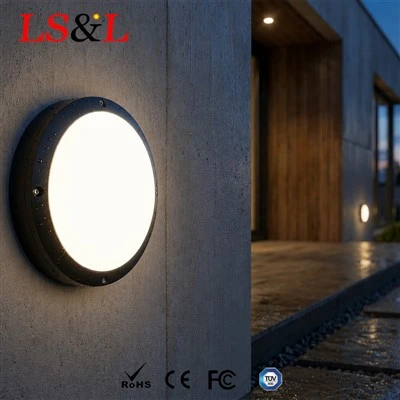
Factor interference risks into your selection process instead of only comparing prices. Prioritize microwave modules with anti-interference algorithms. They filter metal reflections and minor vibration far better than low-cost basic modules. For outdoor, dusty or humid sites, ingress protection matters. Many construction and factory sites choose IP65 bulkhead lights. Its sturdy housing stays stable and avoids signal distortion caused by casing deformation. Make sure the module supports adjustable sensitivity levels, so installers can reduce detection range to suit site conditions.
Installation Position and Angle Planning
Installation placement is the most critical step to cut false triggers. Keep fixtures away from dense metal structures. Do not aim them directly at steel racking or metal guardrails. Avoid facing the lights toward main forklift routes, so moving vehicles further away cannot activate the light. Follow the datasheet strictly for mounting height; too high creates uncontrolled coverage, while too low creates blind spots. Angle the sensor window toward the aisle interior, not toward metal walls or adjacent compartments.
On-site Parameter Tuning Tips
Never set sensitivity to maximum right away. Start from the lowest level and increase gradually. Once the detection range is locked, set a proper hold time. Extend it for slow-moving staff, or shorten it for brief transit to reduce unnecessary lighting hours. If available, enable the daylight threshold function. The sensor only activates when ambient light is poor and stays inactive during bright daylight, lowering false triggers further.
Regular Maintenance Notes
Dust buildup on the sensor window distorts microwave signal paths and can lead to false triggering. Clean grease and dust off the sensing surface periodically. Do not cover the probe with metal stickers. After site upgrades or new metal rack installation, retest sensor performance and recalibrate parameters if needed.
Wrap-up
False triggering on microwave sensor lights is rarely a product defect. It usually comes from mismatches between the sensor, installation and site environment. Careful product selection, avoiding metal interference sources and gradual sensitivity tuning can prevent most issues. Simply turning sensitivity higher will only worsen the problem.

If you are troubled by false triggering on microwave sensors or need a commissioning guide for your installation team, share your site conditions with us. We can provide custom tuning recommendations.